Top Cybersecurity Services for Home Users
Practical steps, service types, and a clear checklist to protect your family and home network.
Think4Growth brings this friendly guide to help you protect what matters most at home.
Layered defense is the core idea we will use to build a resilient and usable home security stack.
Why home cybersecurity matters now
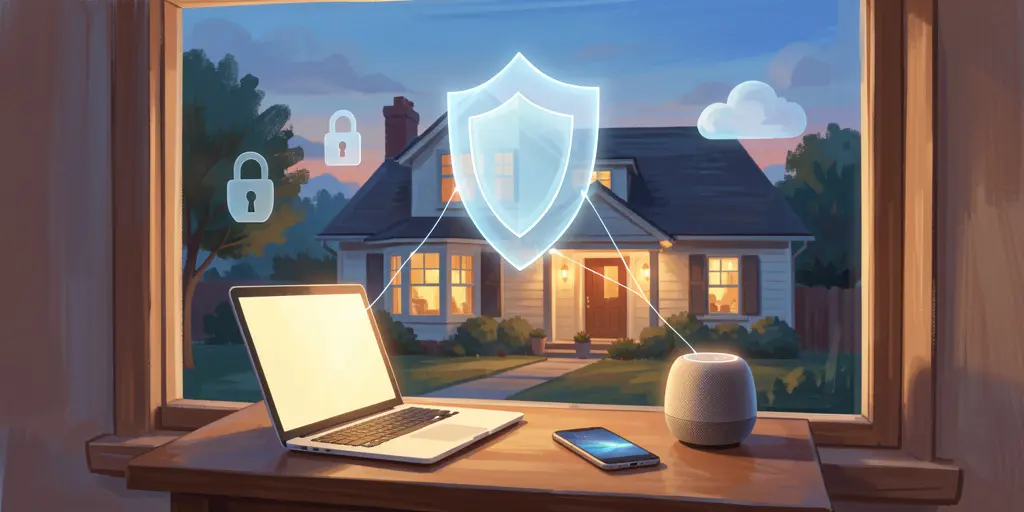
Every device in your house is a potential doorway for attackers to enter your digital life.
Ransomware, account takeover, SIM swap scams, and attacks on smart home devices are no longer problems only for big companies.
Kids, remote work laptops, and smart cameras make the home environment diverse and therefore more vulnerable.
Think of your home network like a small town where each device is a shop that needs its own lock.
Treating each shop as important reduces the odds that a single unlocked door becomes a neighborhood problem.
A short history so you understand how we got here
Early home security was simple antivirus that scanned for known viruses on a single PC.
Over time consumer suites bundled antivirus, firewalls, and spam filters into single packages.
Threats evolved into phishing, ransomware, IoT attacks, and credential stuffing after massive data breaches.
Work from home blurred lines and pushed enterprise ideas like monitoring and endpoint detection down to households.
Today there are consumer versions of enterprise tools and new concierge services for families with higher risk.
That means you can mix DIY tools and managed services to match your comfort level and budget.
Core building blocks of a home cybersecurity plan
Knowing the parts makes choosing services easier, so start with the fundamentals.
Endpoint protection stops malware on devices and has evolved to include behavioral detection and web filtering.
Patch and update management closes vulnerabilities before attackers can exploit them.
Firewalls and home network security control traffic and can separate risky IoT devices from sensitive work devices.
Backups are your insurance policy against ransomware and hardware failure.
Identity protection watches for leaked personal data and helps with recovery if something goes wrong.
VPNs and password managers protect privacy and reduce risk from reused passwords.
Professional assessments and managed response services add expertise when the home network is complex or targeted.
Think of these layers as overlapping safety nets so a single failure does not become a catastrophe.
- Endpoint protection that includes detection and removal and not just scheduled scans.
- Patch management that keeps both OS and common applications updated.
- Network-level protections and router hardening to stop attacks before they reach devices.
- Backups that follow the 3-2-1 rule so your data survives ransomware.
- Identity monitoring and removal of exposed personal data to limit theft and impersonation.
Step by step: how to build a practical home cybersecurity stack
Start with a realistic inventory of every device that touches your network.
Decide which devices handle sensitive tasks like banking or work and which are lower risk.
Pick a baseline consumer security suite for everyday protection and add specialty tools where needed.
Schedule and automate patching so updates do not depend on memory or willpower.
Implement backups immediately and test a restore before you ever need it.
Add managed services if you need continuous monitoring, expert response, or simpler maintenance.
- Change default admin password on your router as step one to close the biggest easy hole.
- Enable WPA2-AES or WPA3 on Wi-Fi and set a long random passphrase.
- Segment IoT devices onto a guest network or VLAN to isolate them from work and family PCs.
- Install endpoint protection on all computers and important smartphones.
- Enable multi-factor authentication for email, banking, and any account that matters.
- Set up cloud backups that automatically protect critical folders and test restores quarterly.
Secure your home network
The router is the front door to your digital home so give it proper attention.
Change the admin username and password, and remove any accounts you do not recognize.
Keep firmware updated and disable features you do not use such as remote administration.
Think about replacing ISP-provided routers if they are outdated or lack controls you need.
Quality of service and device prioritization can help work from home performance while keeping security tight.
If configuration feels intimidating consider hiring a residential IT provider to audit and harden your network.
- Enable WPA2-AES or WPA3 and use a long, unique network passphrase.
- Segment IoT devices by creating a separate guest network for cameras and TVs.
- Disable UPnP and WPS unless you absolutely need them and understand the risks.
- Enable the router firewall and configure basic inbound and outbound rules.
Protect devices and endpoints
Treat each laptop and phone as a small server with valuable data that must be protected.
Choose reputable endpoint protection that offers real-time detection and ransomware mitigation.
Turn on full disk encryption on laptops and enable screen lock and biometrics on phones.
Keep automatic updates enabled so vulnerabilities are patched without manual effort.
Consider layered tools such as an additional incident response agent when you want stronger cleanup and detection.
Remember that no tool is perfect and user habits matter as much as the software you install.
- Install AV or EDR with web protection and real-time scanning on all desktops and laptops.
- Automatic updates must be active for OS and key apps to reduce exposure.
- Use device encryption and a secure boot where available to protect data at rest.
- Enable remote wipe and find-my-device features for mobile devices and laptops.
Identity, passwords and multi factor authentication
Passwords are the easiest way attackers gain a foothold so make them hard to reuse.
Password managers let you create and store unique passwords without memorizing them all.
Multi factor authentication dramatically reduces account takeover risk and should be enabled everywhere possible.
Prefer authenticator apps or hardware keys over SMS when you can, because SMS can be hijacked.
Monitor for leaked credentials and set up recovery plans so a compromised account can be reclaimed quickly.
Teaching family members about phishing and suspicious links reduces the chance of a successful social engineering attack.
- Adopt a password manager across the household and use strong, unique passwords for important accounts.
- MFA and password managers together reduce the chance of an attacker using a leaked password.
- Enable breach alerts and review them regularly so you can change credentials if they become exposed.
Backups, VPNs and secure connections
Backups are the safety net you hope to never use but will thank yourself for when needed.
Apply the 3-2-1 principle to backups so you have multiple copies in different places.
Cloud backup services give off-site resilience and often include versioning to recover from ransomware.
A VPN protects privacy on untrusted networks and can add a layer of encryption even at home.
When working remotely use secure meeting practices and separate personal browsing from corporate work.
Test restores regularly because a backup that cannot be restored is a false sense of security.
| Tool Type | What to Look For | Example Benefit |
|---|---|---|
| Backup service | Automatic continuous backup and versioning with tested restore capability | Recover from ransomware or hardware failure |
| VPN | No-logs policy, strong encryption, and reliable performance on multiple devices | Protects privacy on public Wi-Fi and reduces local snooping |
| Secure meeting tools | Waiting rooms, meeting passwords, and host controls | Reduces risk of meeting hijacking and leaked credentials |
Managed, concierge and personal SOC services
If you lack time or expertise managed services can operate like a virtual IT department for your home.
Concierge providers combine monitoring, incident response, device hardening, and identity protection for families.
These services can include weekly penetration tests and coordination with other vendors to fix complex vulnerabilities.
For high risk households the continuous monitoring and a 24-7 response capability give peace of mind and real protection.
Managed XDR and MDR services bring enterprise detection to small environments but come with higher cost and complexity.
Deciding between DIY and managed depends on your risk tolerance, budget, and technical comfort level.
Service comparison at a glance
The following table helps you choose the category that matches your needs and budget.
| Service Category | Best For | Tradeoffs |
|---|---|---|
| Consumer security suite | Most families and standard users | Affordable and easy but limited against targeted attacks |
| Residential IT and local providers | Households with many devices or home offices | Hands-on support but can be regionally limited and cost more |
| Concierge personal cybersecurity | High net worth individuals and high risk profiles | Very comprehensive but expensive |
| Managed XDR/MDR | Home businesses and users with sensitive systems | Enterprise-grade protection with complex setup and higher cost |
Advanced topics and common mistakes
Advanced approaches such as penetration testing and zero trust ideas can be adapted to a home environment for higher assurance.
Common mistakes include leaving default passwords in place and assuming ISP equipment is secure out of the box.
Another frequent error is relying on antivirus alone and skipping backups until after an attack.
A simple analogy is that antivirus is a seatbelt but backups are the airbags and insurance combined.
Planning for incidents, including who to call and what to restore first, shortens recovery time and reduces stress.
A regular review of accounts and devices keeps small problems from becoming emergencies.
- Leaving default router passwords and SSIDs unchanged.
- Relying solely on antivirus without patching, segmentation, and backups.
- Skipping backup testing so restores fail when you most need them.
- Using SMS for MFA when stronger alternatives are available.
- Assuming children’s devices are low-value targets and therefore lax security.
- Buying every extra feature without matching them to actual household needs.
Real world examples and quick scenarios
A busy family installed a consumer AV and a password manager then used their ISP router unchanged and later had a camera compromised, demonstrating why router hardening matters.
A remote worker layered corporate VPN, personal device encryption, and cloud backup and was able to recover quickly after a ransomware attack on a personal laptop.
A public figure used concierge services that found an exposed database entry and helped remove personal data from brokers to reduce impersonation risk.
A tech-savvy household adopted VLANs to separate gaming consoles and IoT from work devices which stopped a malware spread during a holiday visit.
These stories show small actions can prevent big problems when planned consistently and tested occasionally.
If you tell me about your household I can propose a prioritized checklist that matches your specific risk and resources.
Conclusion and a quick checklist from Think4Growth
Thank you for reading this guide curated by Think4Growth with practical steps you can take today.
Begin by securing your router, enabling WPA2-AES or WPA3, and changing default admins.
Install reputable endpoint protection, use a password manager, and enable multi factor authentication on critical accounts.
Set up cloud backups following the 3-2-1 rule and test restores so you really can recover from an incident.
Consider managed or concierge services if you want expert monitoring and a faster response to complex threats.
If you share your household details I will build a concrete, prioritized checklist to get you started quickly.

Think4Growth is your guide to grow smarter — practical, well-researched articles on finance, career, health, technology, family, and the choices that shape your life.
References
- https://techvar.com/cybersecurity-work-from-home/
- https://www.globalguardian.com/personal-solutions/cyber-security
- https://www.geek-aid.com/residential-it-services/cyber-security-services.html
- https://blackcloak.io/private-client-services/
- https://www.sentinelone.com/cybersecurity-101/cybersecurity/cyber-security-providers/
- https://mind-core.com/blogs/cybersecurity/personal-cybersecurity-services-protecting-your-digital-life-at-home/
- https://underdefense.com/blog/best-managed-cybersecurity-services/