Best Streaming Services Worth Paying for in 2026
A practical, user friendly guide to pick services, cut costs, and build the perfect TV lineup this year.
Think4Growth brings you a clear, human guide to navigating streaming in 2026.
This year is about spending smarter, not subscribing more.
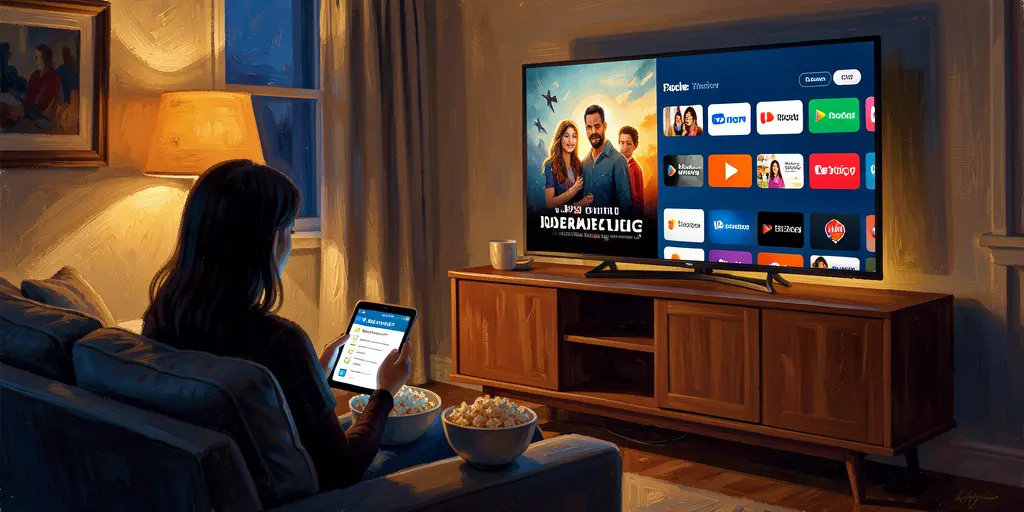
Why this guide matters
Streaming changed from a simple substitute for cable into a full time hobby for many households.
Prices climbed, apps multiplied, and choices became confusing for anyone who just wants to watch good shows without overspending.
Quick history: how we got here
Early streaming felt like a steal and a liberation from cable packages.
By 2026 the market is fragmented and many services raised prices dramatically, creating subscription creep.
Studios keeping hit shows exclusive made juggling multiple subscriptions the new normal.
Types of streaming services explained
Understanding the type of service is the fastest way to decide if you need it.
- On demand only: examples include big libraries of originals with no live channels and strong recommendation engines and discovery.
- Live TV replacements: these simulate cable with a channel guide, local channels, and DVR which is essential for some households.
- FAST and free ad supported platforms: these often fill hours with older movies and channel like streams at no monthly cost.
Key features and terms you should know
Knowing these terms saves you money because you can match plans to your habits.
- Ad tiers versus ad free: cheaper plans show ads and sometimes limit resolution or streams.
- 4K HDR and audio extras: some services include them in base price while others reserve them for premium tiers.
- Simultaneous streams: important for families and roommates who watch in different rooms at the same time.
- DVR and cloud recording: crucial for sports viewers and busy families who cannot watch live.
Price changes to note
A quick table helps show how much ad free pricing shifted between 2021 and 2026.
| Service | 2021 ad free | 2026 ad free | Notes |
|---|---|---|---|
| Netflix | $13.99 | $19.99 | New lower ad tier around $8.99 makes rotating easier |
| Disney+ | $7.99 | $18.99 | Family library but expensive ad free tier |
| Hulu | $11.99 | $18.99 | Ad tier around $11.99 remains popular |
| Max | $14.99 | $18.49 | Prestige content behind paywall |
| Prime Video | $12.99 | $19.98 | Prime ecosystem added higher tiers |
A friendly step by step to choose services
Follow this simple plan and you will stop paying for apps you rarely open.
- List non negotiable content like specific shows or live sports and mark which app has them and whether it is exclusive.
- Set a hard monthly budget and write it on your bill review so you treat subscriptions as a deliberate expense.
- Decide if you need full live TV or if clips and highlights suffice for news and most sports.
- Start with one generalist service and one specialty service that covers your main habits.
- Fill in gaps with free FAST apps before adding another paid subscription.
- Rotate actively: sign up for a service for a month when a big show drops, then cancel.
- Review subscriptions every three months and keep only what you used in that period.
Netflix: why many people justify the cost
Netflix still leads for breadth of originals and worldwide hits.
It is often the first place people turn when they want something new and easy to start.
If you binge heavily the ad free plan may be worth it, but the ad tier works well for casual viewers.
YouTube TV and Sling: two live TV approaches
YouTube TV aims to replace cable with a polished guide and unlimited DVR which some households value very highly.
Sling offers a cheaper, modular approach for people who want only specific channels and do not need full local coverage.
Choosing between them comes down to whether you prefer convenience and coverage or low cost and customization.
Feature comparison at a glance
Here is a compact table that shows strengths to match to your priorities.
| Service | Best for | Ad tier available | 4K included | Live sports |
|---|---|---|---|---|
| Netflix | Originals and discovery | Yes | Yes on premium | Limited |
| YouTube TV | Cable replacement and DVR | No | Limited | Excellent |
| Disney+ | Families, Marvel, Star Wars | Yes | Yes often | Some sports via bundle |
| Peacock | NBC sports and recent movies | Yes | No | Good for NBC events |
| Paramount+ | CBS content and NFL viewers | Yes | No | Good for CBS rights |
| Sling | Low cost live TV with picks | No | No | Varies by package |
| Apple TV+ | High quality prestige originals | No | Yes | No |
| Prime Video | Value if you already have Prime | Yes | Yes | Limited |
FAST services and free options you should try
Free ad supported TV apps have improved a lot and often fill a surprisingly large part of your viewing week.
- Install at least two FAST apps because each has unique titles and channel lineups.
- Use FAST apps for background watching and to test genres before you pay for a niche subscription.
- Combine FAST apps with an antenna to avoid paying for local channels through a streaming plan.
Advanced ways to cut costs without missing shows
There are practical techniques that keep your entertainment high and your bills under control.
- Stack deals: use bundles like family plus sports bundles when they actually save money over separate purchases.
- Rotate smartly: sign up for a service for the length of a show drop and cancel when you are done watching.
- Share responsibly: within household multi user plans are usually allowed and cheaper than separate accounts.
- Use promos and device offers: some services come free or discounted when you buy hardware or other memberships.
Putting it together for your household
Small examples help make the choices feel real and useful.
- Budget family example: choose a family friendly service with an ad tier, add one live sports source if needed and rely on FAST apps for extra movies.
- Sports centric home: prioritize a live TV plan with unlimited DVR and add a sports focused streamer for niche league coverage.
- Prestige TV fan: pick two quality on demand services, rotate a third, and use FAST apps to replace low priority subscriptions.
Conclusion and next steps
Thanks for reading and being deliberate about where your money goes in 2026.
If you want a tailored lineup tell me the size of your household, whether you need live sports, and your monthly budget and I will build a recommendation for you.
Think4Growth hopes this guide helps you spend less time worrying about bills and more time enjoying the shows you love.

Think4Growth is your guide to grow smarter — practical, well-researched articles on finance, career, health, technology, family, and the choices that shape your life.
References
- https://www.reviews.org/tv-service/best-streaming-service/
- https://www.youtube.com/watch?v=g5SG9vPUbtI
- https://www.techradar.com/streaming/my-one-tech-splurge-in-2026-will-be-these-3-unsung-tv-streaming-services-heres-why
- https://www.tomsguide.com/entertainment/streaming/the-cost-of-streaming-in-2026-what-were-paying-now-vs-5-years-ago-and-how-to-save-money